

How to Fix Faulty Key Repairs
A damaged key fob could make your life miserable. Luckily, fixing the issue is simple with the right tools and procedures.
Before you begin any repairs, always ground yourself to remove static electricity. It takes only a few seconds and is a good way to practice when working with electronic devices.
Check for any debris underneath the bad key. Breadcrumbs and other bits can become stuck under keys, preventing them from being pushed in correctly.
Broken Car Keys
It's easy to take your car keys for granted until they stop working or break at the worst possible moment. When your car keys don't work, it can be a nightmare to open your trunk in order to grab groceries, unlock your doors to get to a place, or start your engine to go to work.
Over time, car keys suffer from the effects of wear and tear. They may be damaged due to being thrown around or dropped and the internal components can wear out to the point where they aren't functioning properly anymore. This is a huge issue since it means you can't use your car without a spare key or your mechanic fix the problem.
Most broken car keys are easily repaired or replaced. If your key has been broken within the lock or ignition, you can occasionally remove the remaining part of the key by using pliers or a wire coated with. A locksmith may offer you the necessary tools for removal that are designed to slide into the key and place an apex-like grip to the broken pieces to safely pull them out.
If the key to your car is broken in half, a simple and cost-effective solution is to super glue the two pieces back together. It can be difficult to get the pieces aligned properly however it can produce excellent results. Keep a pair of scissors and a roll of tape on hand in case you want to adjust the alignment.
Replace the battery inside the car key fob to fix a broken key. If your car's key fob won't turn on and you don't have a replacement then this is the ideal solution. Depending on the type of vehicle, you can sometimes do this by removing the key fob and then opening it using a screwdriver or small tool.
If the problem is serious, like if your keyfob is not working or isn't responding and you need to replace it. This is something that you can get at a dealership, but it's usually cheaper to contact an auto locksmith to come to your home and make the necessary repairs or replace the key fob entirely.
Broken Key Fobs
As with all electronic devices, car key fobs can malfunction. When they stop working, they're not difficult to fix. The first thing to do is figure out the cause of the issue.
The battery is usually the cause when a keyfob stops working. The most simple and cost-effective solution is to replace the battery. You can do this at home.
If cleaning the fob is not working, you can take it apart. Your fob is equipped with a circuit board inside which houses a number of "contact pads" for each button that you can press on the fob (lock buttons and trunk buttons, for example). These contact pads are rubber-like and are coated in an electrically conducting film that starts to wear away over time. You can clean your key fob contacts with rubbing alcohol and a cotton swab to get rid of any corrosion.
You could also try using a pair or tweezers to re-seat the contacts on your key fob if you suspect they are broken or loose. It is recommended to apply silicone to the back of the key fob first before you insert the new contacts. Silicone will protect the contacts from out water.
A key fob not working could be due to the fact that it was not connected to the vehicle. When you push a key fob button, it sends a code to the car, which tells it what it is trying to accomplish. If the key fob is unpaired, it won't recognize the car and will not allow you to start the engine.
If you can't get your key fob to pair with the vehicle, it's likely to call in an auto locksmith or dealership technician. They'll have the necessary equipment to reprogram the key fob and make it work again. You'll likely have to pay a small fee for the service, but it's cheaper than purchasing an entirely new key fob.
go here
If the keyboard key ceases to function, it can be an absolute nightmare. The first step is to make sure that the key isn't being obstructed by anything physical. Over time dust, hair, and other debris can build up and cause interference to the circuitry of keys. Try gently removing your key and cleaning it using a rag that has been soaked in ruby alcohol. This is sometimes all you need to do to make your key work again.
If the key does not work, it's possible it's a problem with your software. If your key isn't doing what you expect, make sure to check the settings of your game to make sure that it is correctly and properly mapped.
You may also want to try reinstalling your keyboard drivers to fix the problem. Incorrect or outdated drivers could cause your keyboard to stop functioning, which is why you should always ensure that they are updated as often as you can.
Another possibility is that the key may be damaged. There are two circuits in each key switch and over time these can be damaged until they no longer register when the key is pressed. If this happens the best solution is to replace the entire keyboard, as it is likely that it will no longer function properly.
If you've tried these solutions but the keyboard isn't responding you're in need of an expert look over your laptop or external keyboard. There could be a physical issue with the membrane that covers your keyboard, or it could be because one of the keys has become defective.
To find out you'll need to test the keys with a keyboard tester site. The website will tell you whether keys work correctly during an examination If they do, it's most likely to be due to a software issue. You can then begin applying the remaining fixes to restore full functionality. You can also use an external keyboard until the internal keyboard is repaired or replaced.
Keys That Don't Work
It's a hassle when keys don't function however, they're usually simple to fix. A malfunctioning button could be caused by a piece or dirt that has accumulated under the button or it may simply not be properly connected to your laptop or keyboard. If you're not sure then clean the keys using canned air and blow away any dirt or dust.
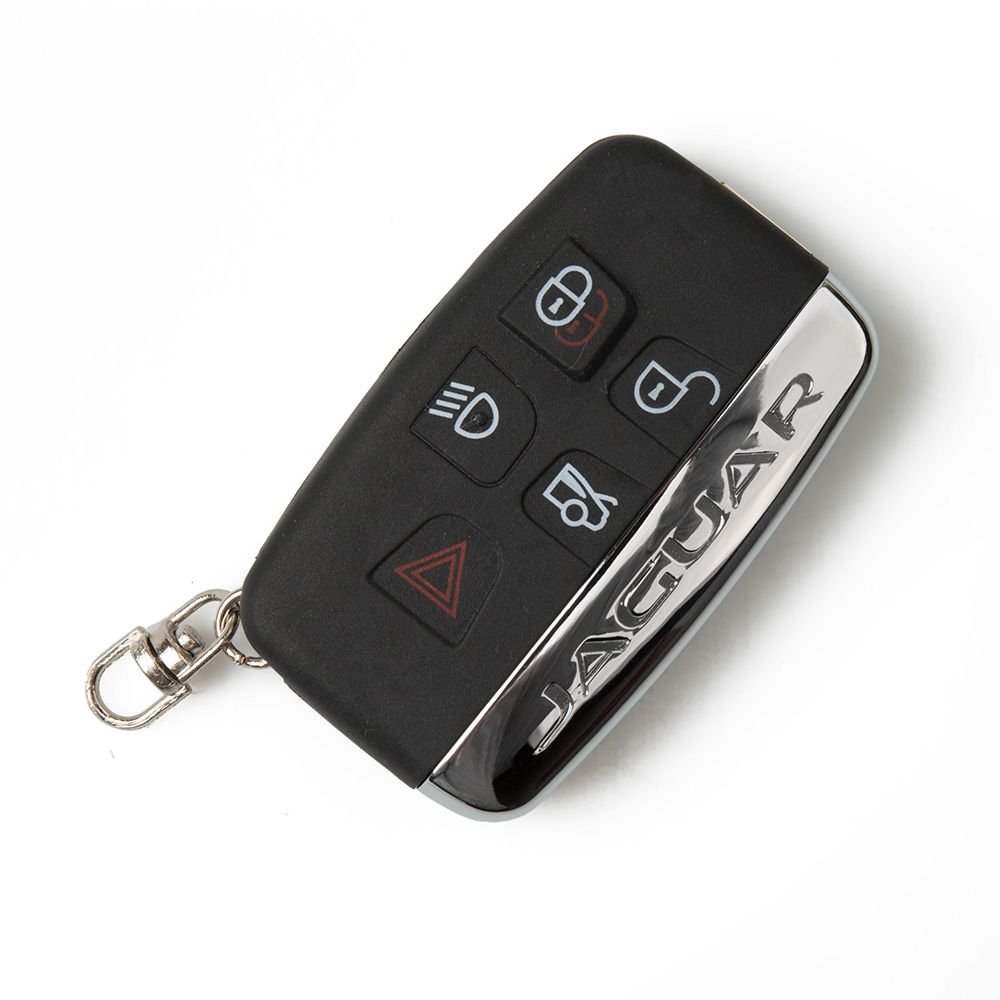
It's also possible that the key is out of alignment with the lock. This is another problem that can be solved by a professional, though it is more likely to require replacement of the key. If you own an electronic key that isn't able to be turned with metal keys the transponder chip might have stopped working. You'll need a new key to be programmed.
Try a key testing website if your keyboard on your laptop or externally are not responding. This will help you determine if your keyboard is malfunctioning or if software is interfering.
A switch that's not functioning correctly can also be the reason for the key not functioning as is. If you have a mechanical keyboard it is easy to check this by looking under the keycap and seeing if there is any debris that has accumulated on it. If you discover anything, use canned air to clear it and then remove the keycap. This will allow you replace the hooks that connect the retainer and the switch and hopefully restore function to your key.
If a key on your keyboard fails to perform the expected function in just one program, then it's likely that settings for the game's keyboard have assigned the key to perform a different action. Check the keyboard settings and then press the key again to see if it's functioning. If you're still having problems, it is best to purchase a new keyboard. It can be put in place by professionals. This is especially true in case you play a game that requires a lot of typing.